Role: Junior UI/UX Designer
Duration: 1 Month
Process: Wireframing (Paper & Pen) UI Design
Tools: Pen & Paper, Figma
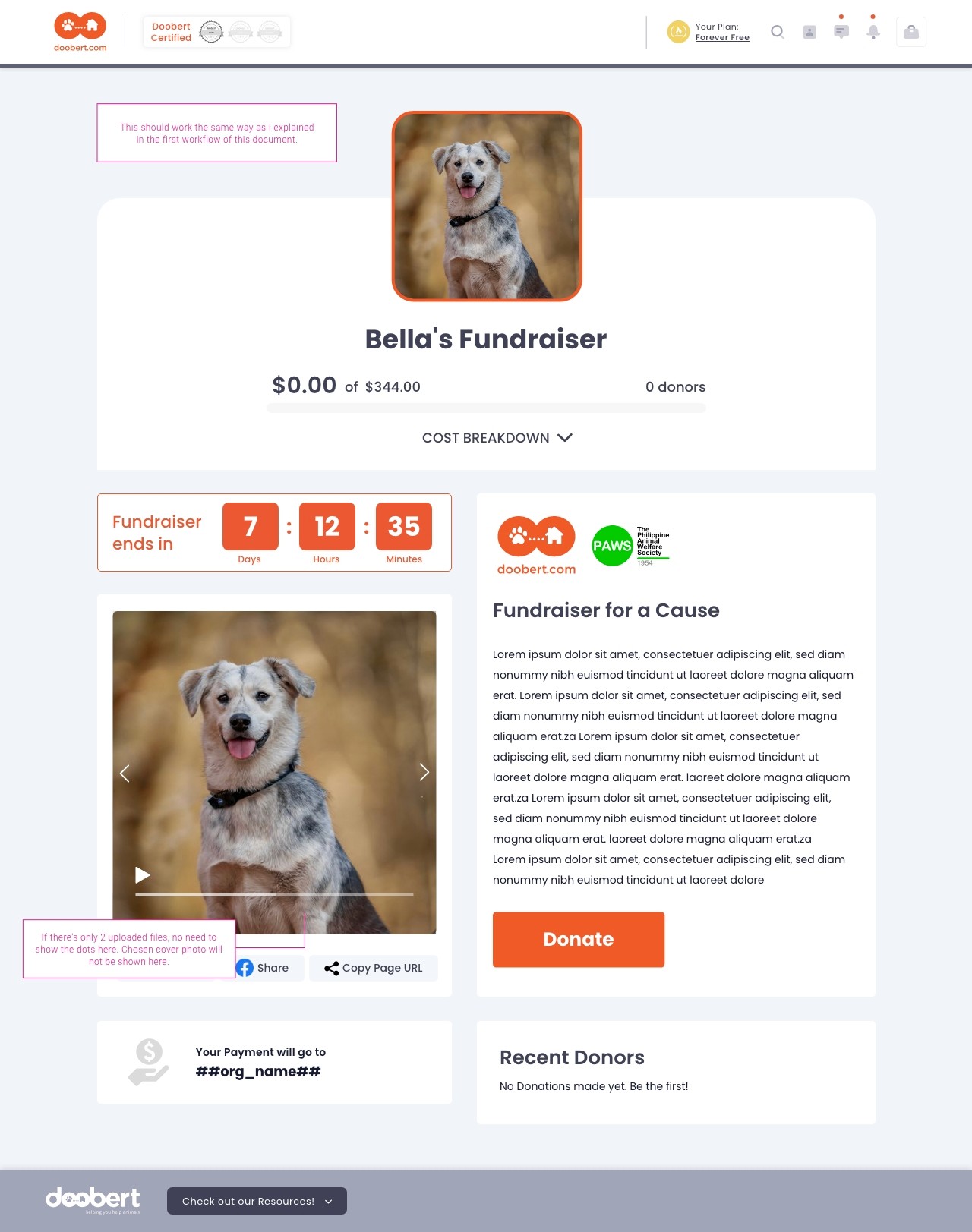
The Doobert Fundraiser redesign was a meaningful project aimed at supporting a platform that helps rescue animals find safe transportation and care. My goal was to create a cleaner, more engaging layout that makes it easy for users to understand the cause and feel encouraged to donate.
One unique aspect of this project was how we worked: instead of building interactive prototypes, our company followed a streamlined process using developer notes only. While this might sound unusual, it helped us move quickly and efficiently. I made sure to provide clear, detailed guidance for developers, outlining layout changes, spacing, hierarchy, and design intent to ensure the final product matched the vision.
Even without clickable prototypes, I focused on enhancing the visual appeal and usability of the page—bringing in more warmth, structure, and clarity to help both the animals and the people who want to help them.
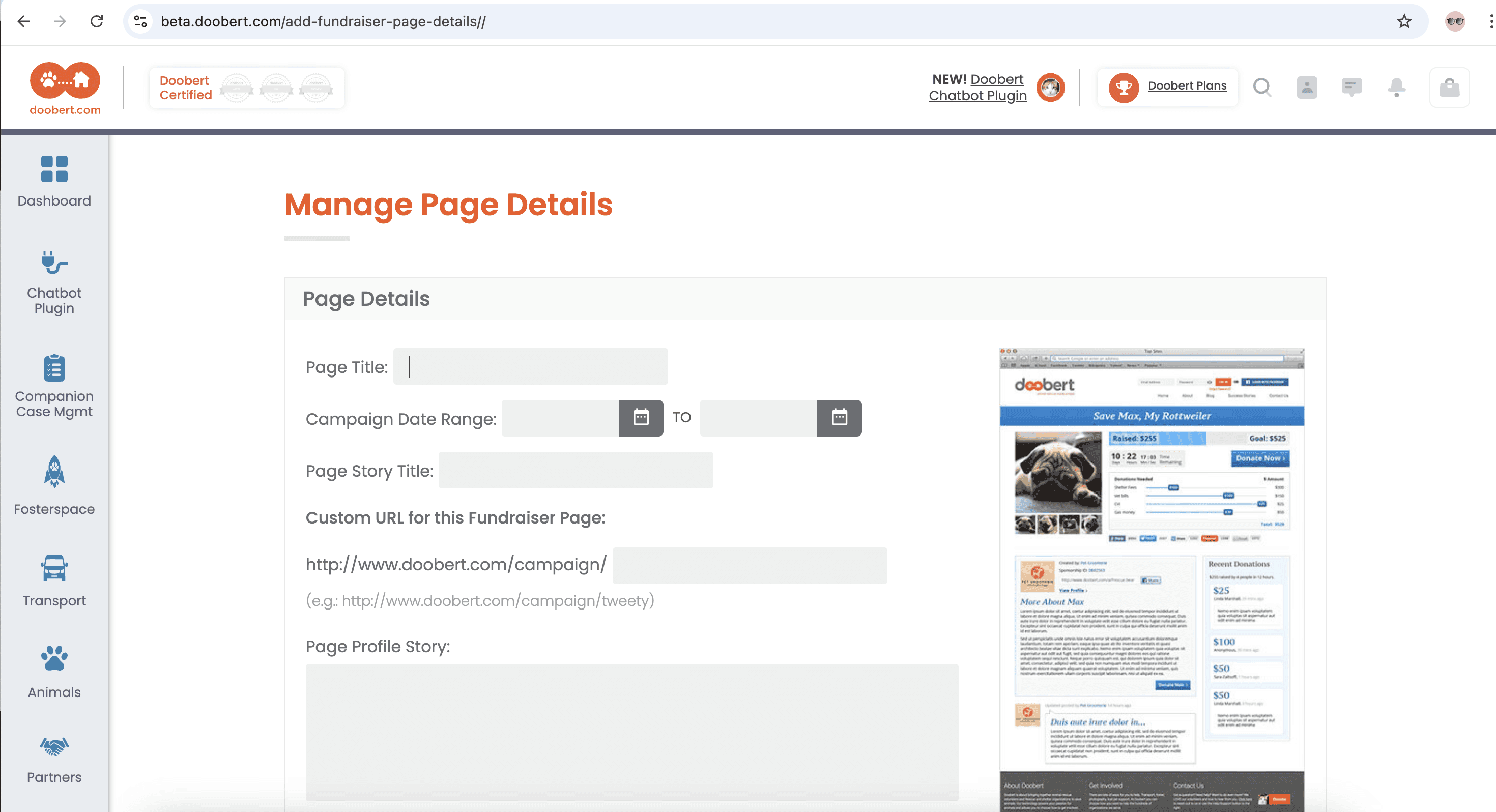

The original Doobert Fundraiser page had great intentions but struggled with presentation. The layout lacked visual hierarchy, the call-to-action elements weren’t prominent, and overall navigation felt cluttered and outdated. This made it harder for visitors to fully understand the purpose of the fundraiser or feel motivated to take action—whether that was donating, sharing, or getting involved.
Additionally, because the platform plays a crucial role in supporting animal rescue efforts, it was important for the page to clearly communicate trust, compassion, and ease of use—all while guiding users smoothly through the donation process.

Before jumping into high-fidelity design, I started with low-fidelity sketches to explore layout ideas and establish a clear user flow for the Doobert Fundraiser page. The goal was to quickly visualize different ways we could present key content—like donation options, success stories, and calls to action—while ensuring the page felt welcoming and easy to navigate.
During this stage, I focused on:
Prioritizing information hierarchy to guide users from emotional connection to action
Experimenting with layout blocks for text, images, and buttons
Mapping the donation journey to reduce friction and decision fatigue
Since the company’s workflow emphasized developer notes over interactive prototypes, these sketches became an essential tool for communicating intent clearly and efficiently. I used them as a reference point when writing dev notes, helping ensure that developers understood the structure and spacing of each section without needing a clickable prototype.
This step allowed for fast iteration and feedback, keeping the process lightweight but purposeful.
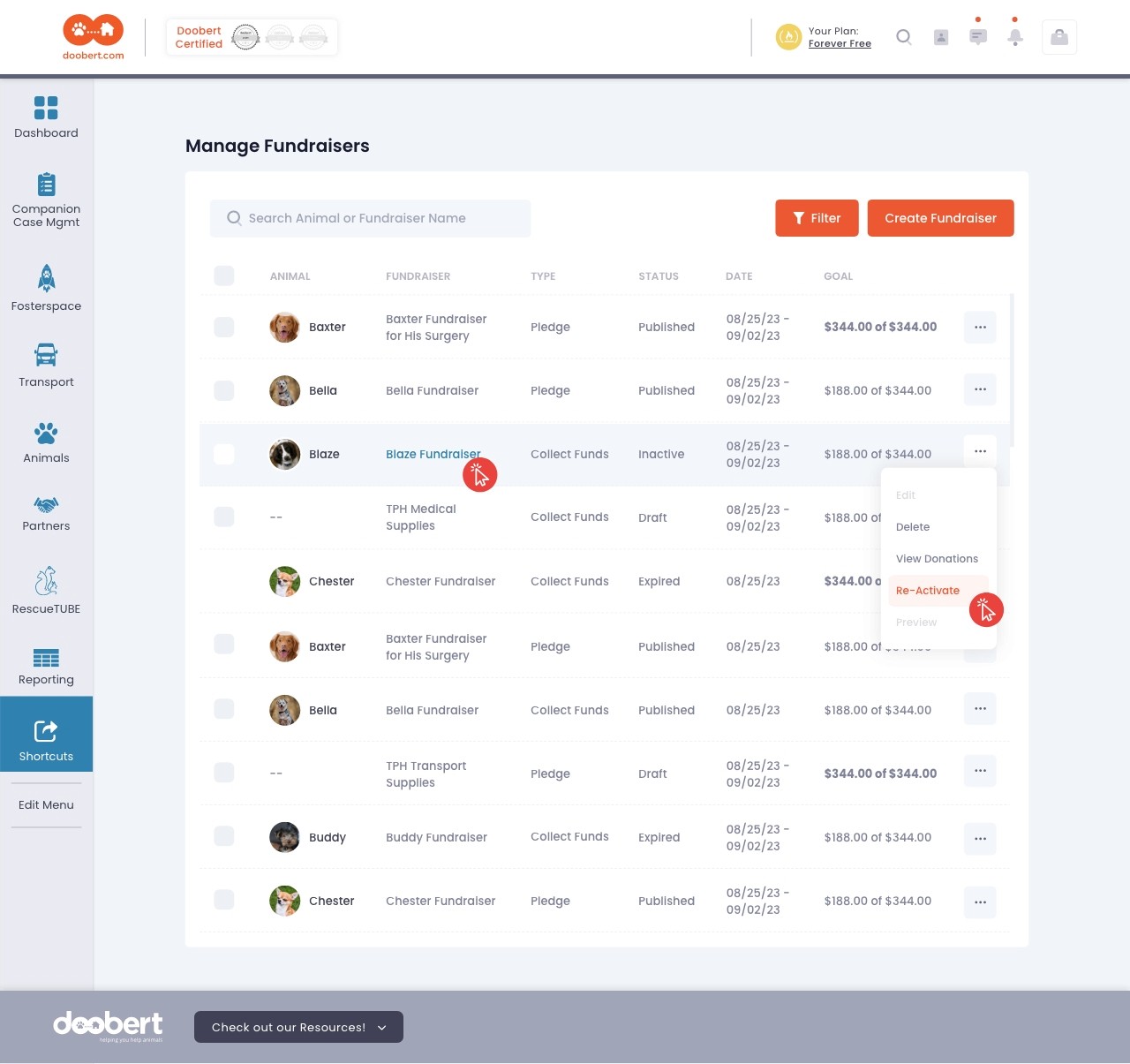
For the Manage Fundraiser page, I created the final UI design based on the company’s existing design system to ensure visual consistency across the platform. By following standardized components, color schemes, typography, and spacing rules, I was able to maintain a cohesive look and feel that aligned with the rest of the site.
The goal was to make the management interface intuitive and user-friendly for fundraisers—providing clear access to campaign details, status updates, and editing tools. I prioritized simplicity and functionality, keeping the layout clean while ensuring key actions like “Edit,” “View Donations,” or “Share” were easy to locate.
By adhering to the design system, I was able to streamline the handoff process and reduce development time, while still customizing the page to meet the specific needs of the fundraiser management flow.
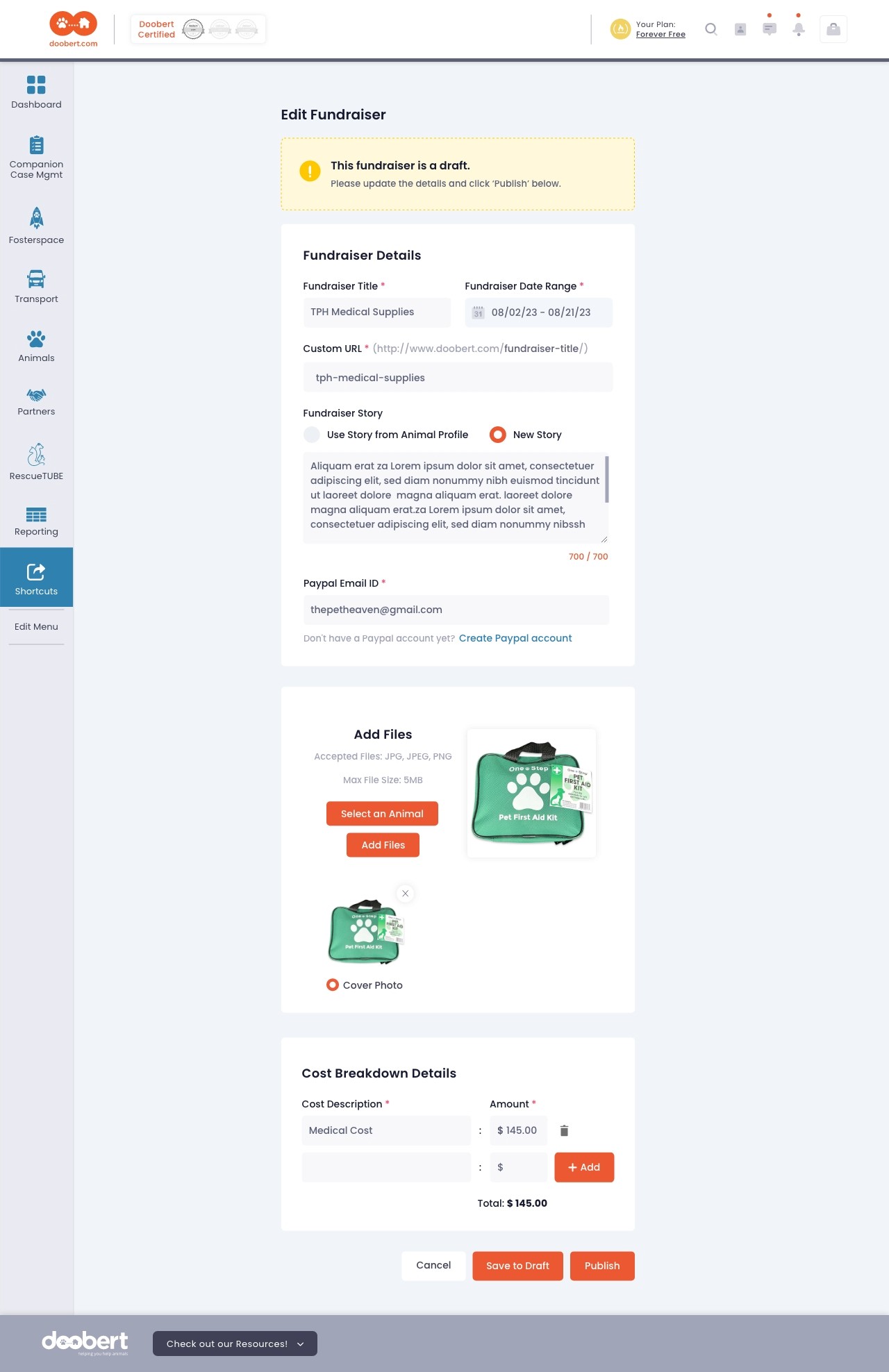
This page was designed to allow users to easily fill in all the necessary details to create a new fundraiser. Since this step plays a crucial role in launching campaigns, I focused on making the process as smooth and user-friendly as possible.
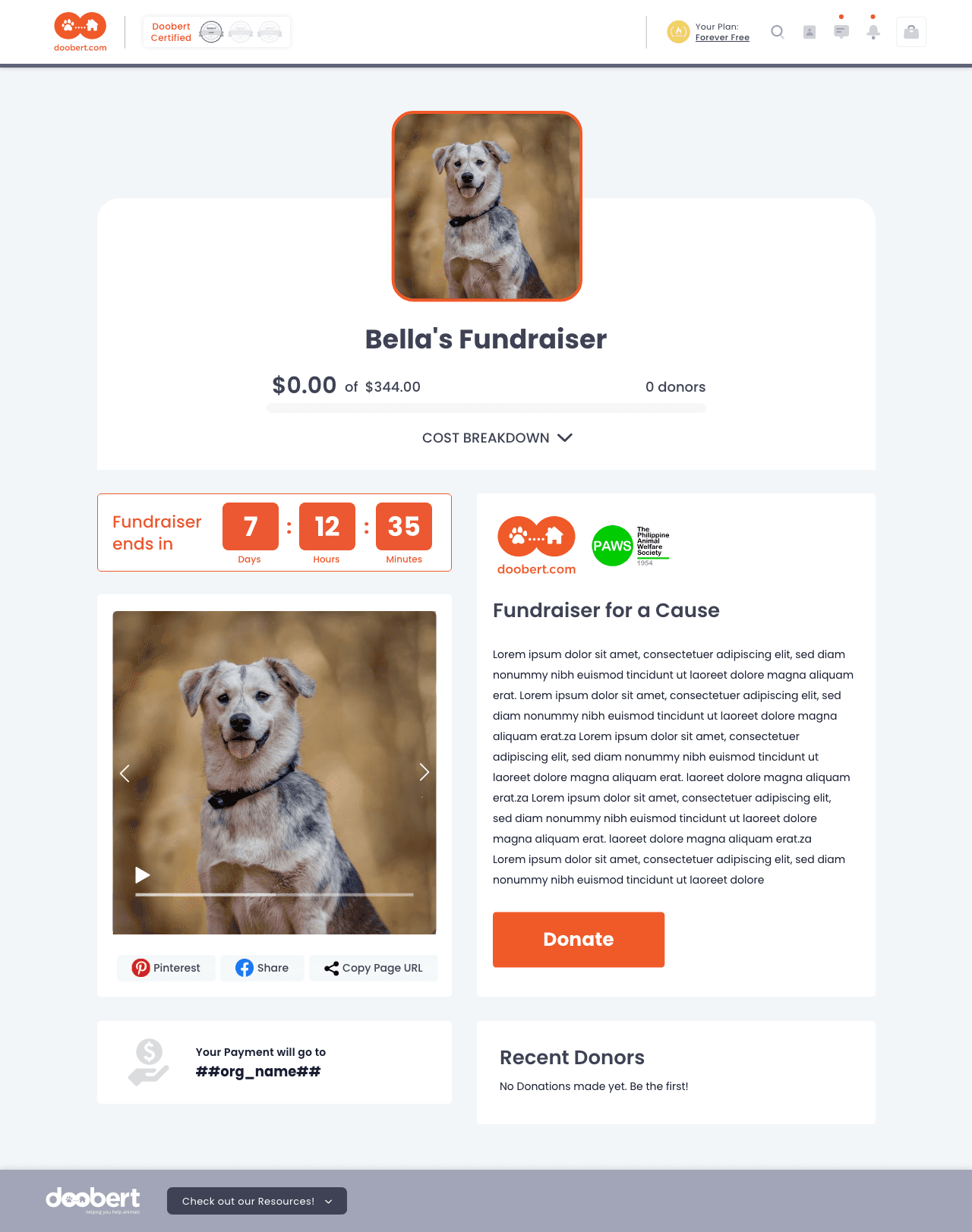
The Final Fundraiser Page is the public-facing view where a campaign’s story is shared and donations are made. I designed it to be clear, trustworthy, and action-focused, with the donation button and progress bar taking center stage.
Using the company’s design system, I kept the layout clean and emotional—featuring a strong title, image, story section, and easy sharing options.
Since we weren’t using interactive prototypes, I provided detailed dev notes to ensure the layout, spacing, and mobile responsiveness were implemented accurately.
Redesigning the Doobert Fundraiser experience was a fun mix of creativity, practicality, and just a tiny bit of chaos (the good kind). Even without interactive prototypes, working within dev-note-only limitations challenged me to be extra clear with my intentions—and honestly, it made me a better communicator.
I enjoyed finding the balance between structure and emotion—giving users a smooth experience while still keeping that heartwarming, “you’re helping animals” vibe. It wasn’t about reinventing the wheel—it was about making the wheel easier to roll, cuter to look at, and impossible not to support.
This project reminded me that even small design tweaks can lead to big impact, especially when the mission behind the screen is something as meaningful as helping animals in need.